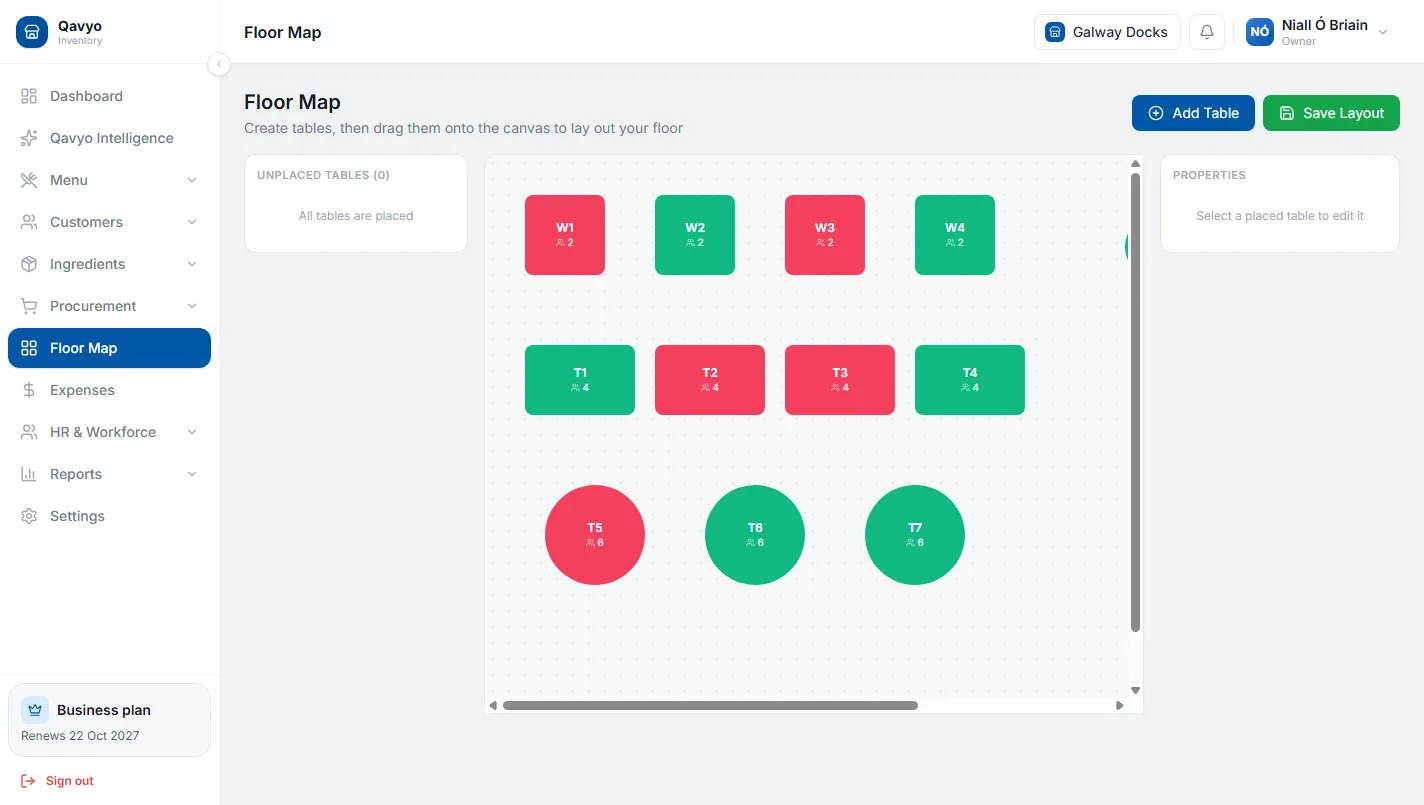
Floor plan
The whole room at a glance.
Free, seated and reserved tables in their real places. Tap a table to open its order, add rounds as the meal goes on, and split the bill when guests pay.
See a full serviceToday’s bookings and walk-ins at the till, with the time, the party size and the table. Guests can also book on your website, and it all shows on the floor plan.
Included with Qavyo, on the till and on your website.
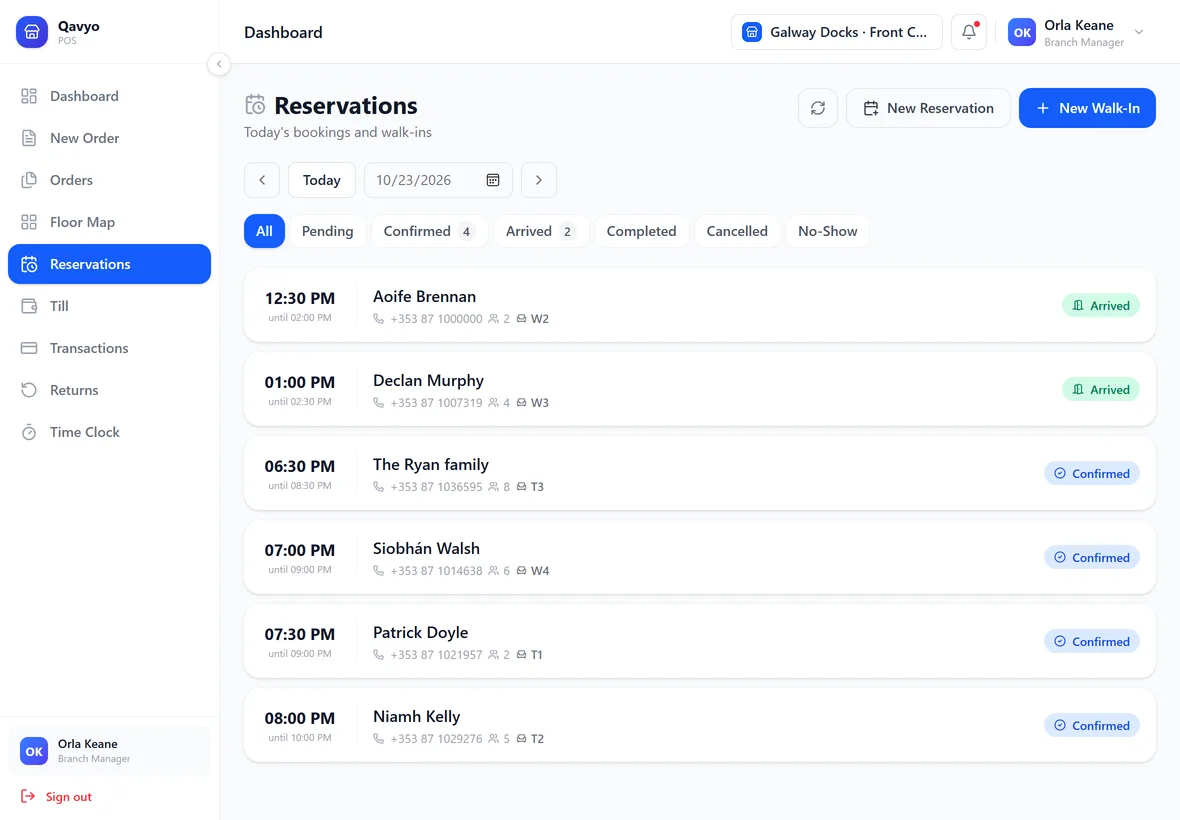
Free, seated and reserved tables in their real places. Tap a table to open its order, add rounds as the meal goes on, and split the bill when guests pay.
See a full service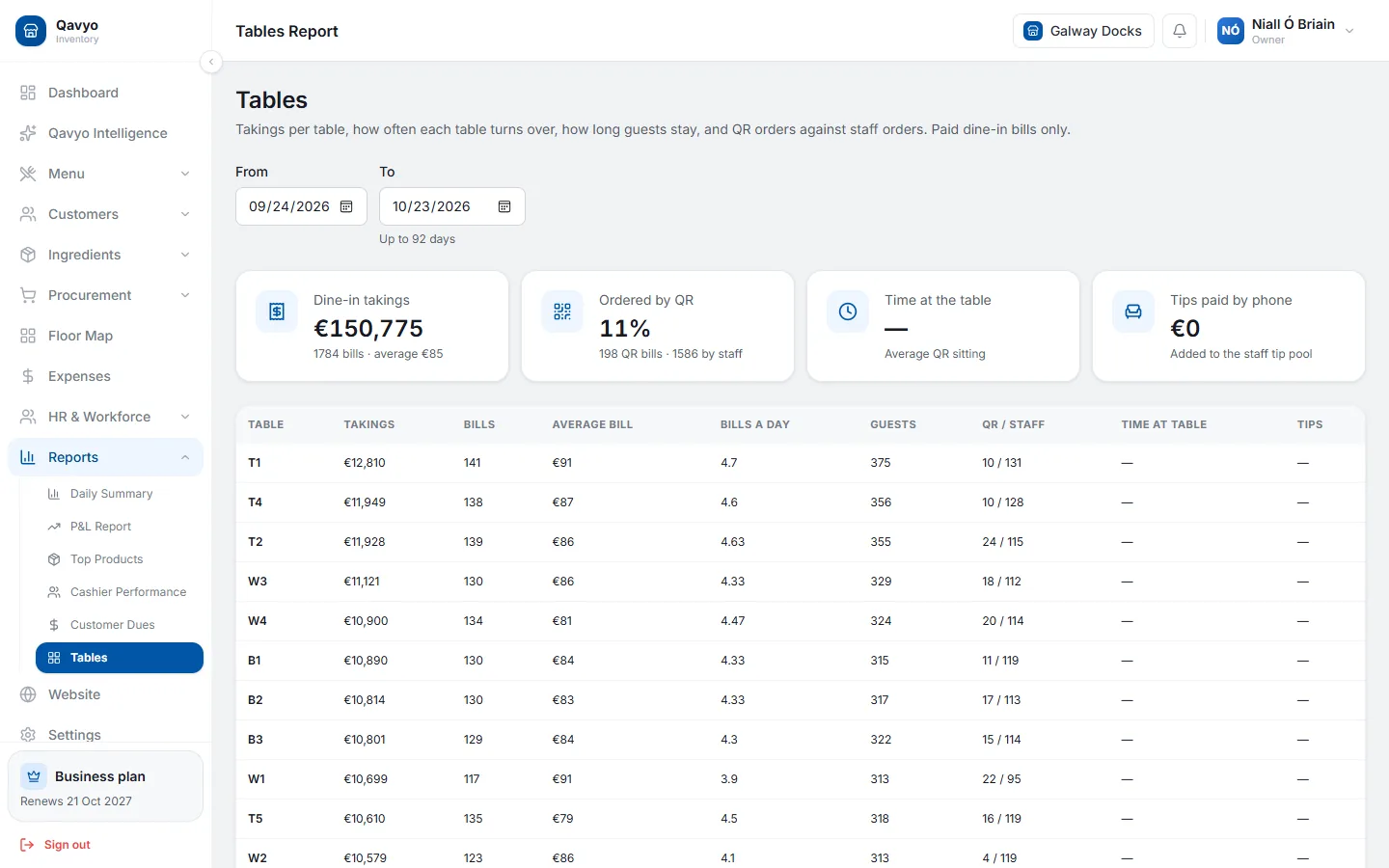
Takings, bills, average bill and how often each table turns over, with how many orders came by QR and how many from staff.
Guests pick a time and party size on your own site; the booking lands at the till.
Learn more ›Add a walk-in at the till and give them a table straight away.
A booking for next week never blocks today’s walk-ins.
Mark each booking as it happens, so you know who turned up.
Birthdays, high chairs and allergies saved with the booking.
Loyalty members in a top tier are listed first at the same time.
Learn more ›Tell us how you take bookings today and we will set the floor plan up with you.
Talk to us ›Yes. Switch bookings on in your website admin and guests can book from your Qavyo website; the booking appears at the till.
No. A table is only held on the day of the booking, so future bookings never block today’s walk-ins.
Yes. Place your tables where they really are, name them, and the floor plan on the till matches your room.
No. Reservations and the floor plan come with Qavyo.
Start with 30 days of Full Qavyo. We help you set up your floor plan.
Every business starts with 30 days of Full Qavyo, including Growth and Business features.