Qavyo for restaurants

All restaurant features

Everything Qavyo does for a restaurant, on one page. Every restaurant starts with 30 days of Full Qavyo.

Get the highlights.

  1. 01Keeps selling offline.Orders, payments and kitchen tickets carry on when the internet drops.
  2. 02Guests order from the table.Your own menu on their phone. No app, no account.
  3. 03Each station, its own screen.Grill, fryer and drinks see only their own items.
  4. 04Stock that follows sales.Every dish uses up its ingredients as it sells.
  5. 05Clock in at the till.A PIN and a photo. No smartphone needed.
  6. 06A brief every morning.Yesterday’s takings and today’s priorities.

Front of house

Take the order, run the room and take payment.

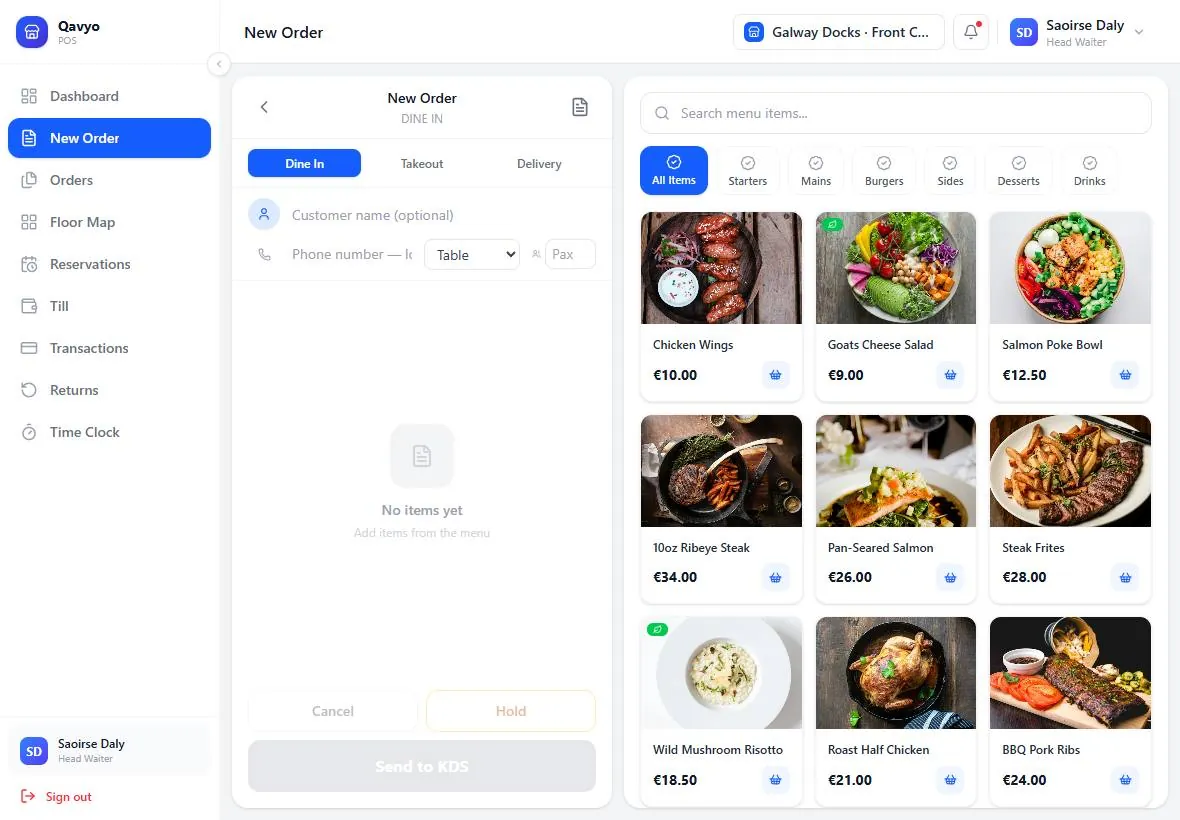
Qavyo POS on a tablet: a new dine-in order with dish photos and prices.
Till (POS)

Every order right, first time.

Take dine-in, takeaway and delivery orders on one screen. Dish photos, sizes and add-on choices keep every order right, and staff check the ticket before it goes to the kitchen. Runs on an Android tablet or phone, or in any browser.

Explore the till
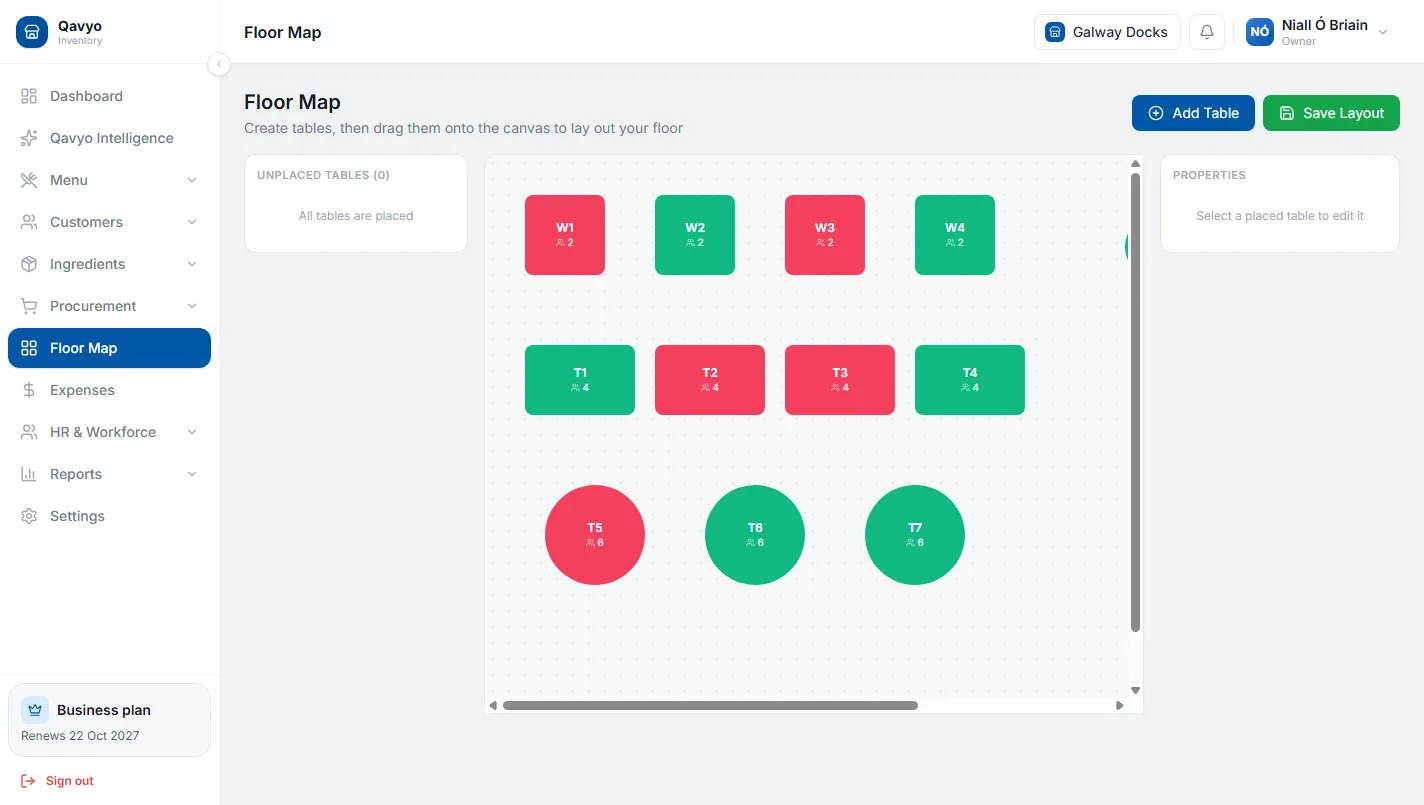
Qavyo floor map with occupied, free and reserved tables.
Tables and floor plan

The whole room at a glance.

See which tables are free, seated or booked at a glance. Open a table’s order with one tap, add rounds as the meal goes on, and split the bill by item or by amount when guests pay.

Explore reservations and tables

Reservations

Take bookings at the till and see them on the floor plan.

Learn more ›

Split the bill

By item or by amount, down to the last cent.

Learn more ›

Voids and refunds

Each one needs a reason and is recorded with who did it.

Learn more ›

Offline mode

The Android till keeps selling, printing and taking payment when the internet drops.

Learn more ›

Ordering channels

Let guests order without waiting for a server.

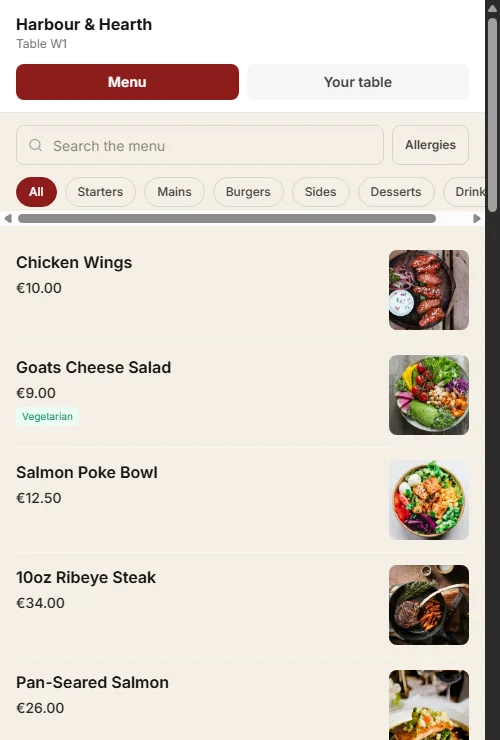
A guest ordering from a table QR menu with search, categories and dish photos.
QR table ordering

Guests order. Your team stays in charge.

Guests scan the code on their table and order from your own menu, with no app and no account. More rounds join the same bill, new items go straight to the right station, and your team can confirm the first order before it reaches the kitchen.

Explore QR table ordering

Pay at the table

Guests pay on their phone through your own Stripe account, split three ways.

Learn more ›

Call a waiter, ask for the bill

Requests appear on the floor plan and the POS.

Learn more ›

Allergens and a second language

The 14 EU allergens with a filter, and dish names in a second language.

Learn more ›

Your own website

A restaurant website with online ordering and your own domain.

Learn more ›

Kitchen

The right dish to the right station, on time.

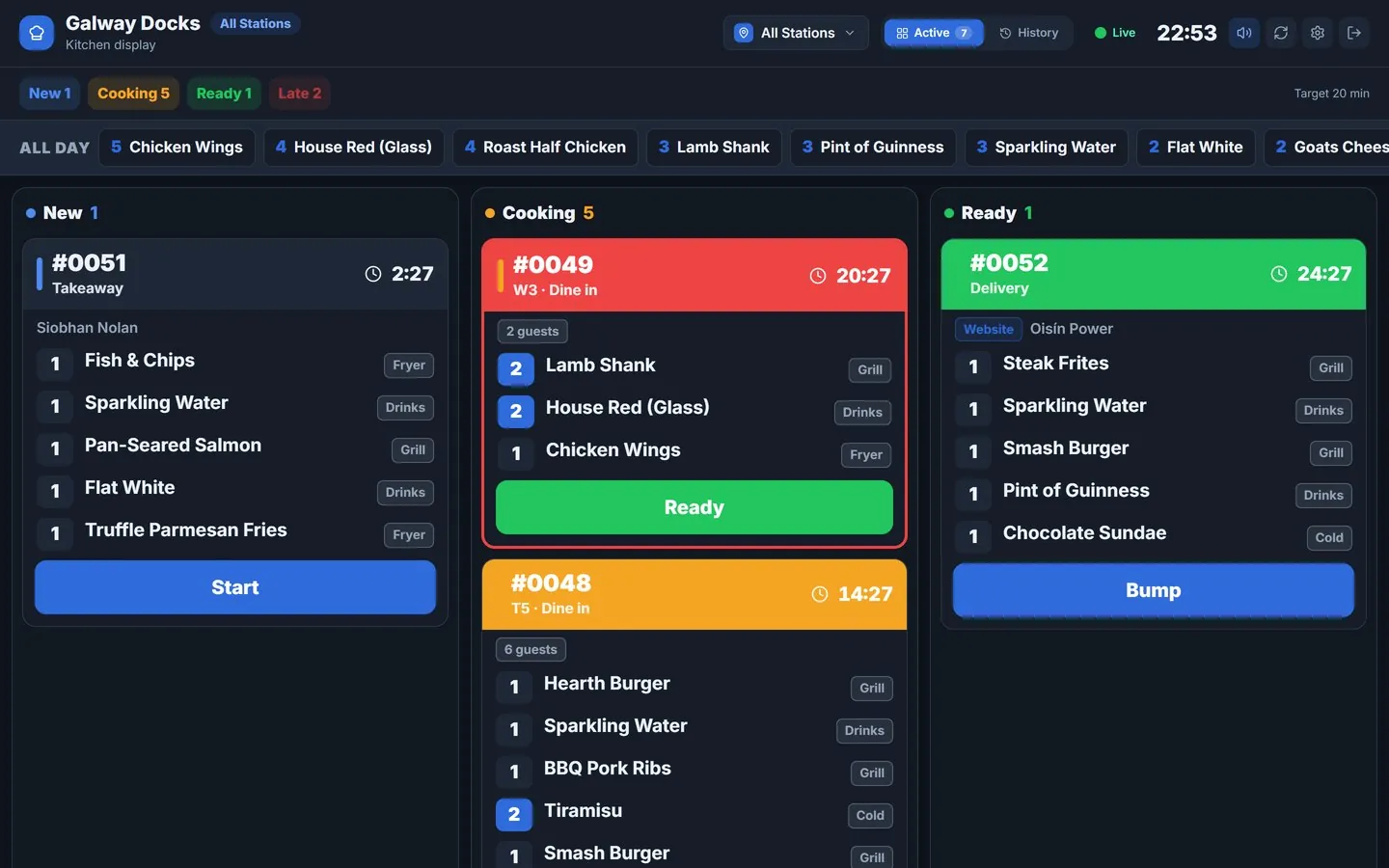
Qavyo kitchen display: new, cooking and ready tickets with timers and an all-day dish count.
Kitchen display

A calmer pass, even offline.

Each station sees only its own items, with timers that turn amber and red and an all-day count of what is still to make. When the internet drops, kitchen screens keep getting orders from the till over the shop Wi-Fi.

Explore the kitchen display

Station printing

Grill, fryer, drinks and packing each get their own ticket; stations can share a printer.

Learn more ›
Growth and Business

Kitchen performance

Cook times by station and dish, so slow spots show up.

Learn more ›

Stock and money

Know what every dish costs and how the day went.

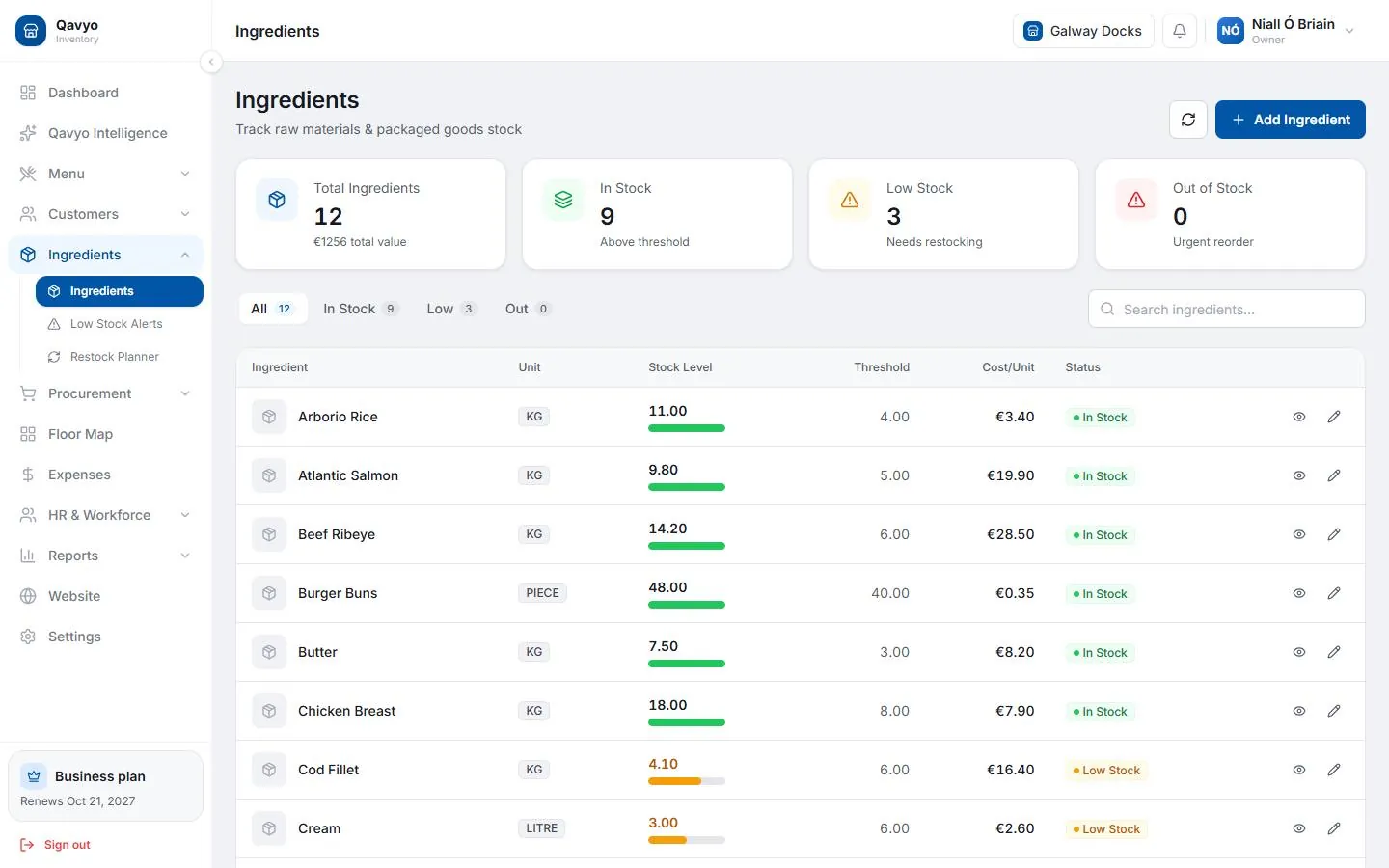
Qavyo ingredients list with stock levels.
Stock and ingredients

Stock that follows every sale.

Recipes link each dish to its ingredients, so every sale uses up stock. Record deliveries and waste, get low-stock alerts, and see what each dish costs to make.

Explore stock and purchasing
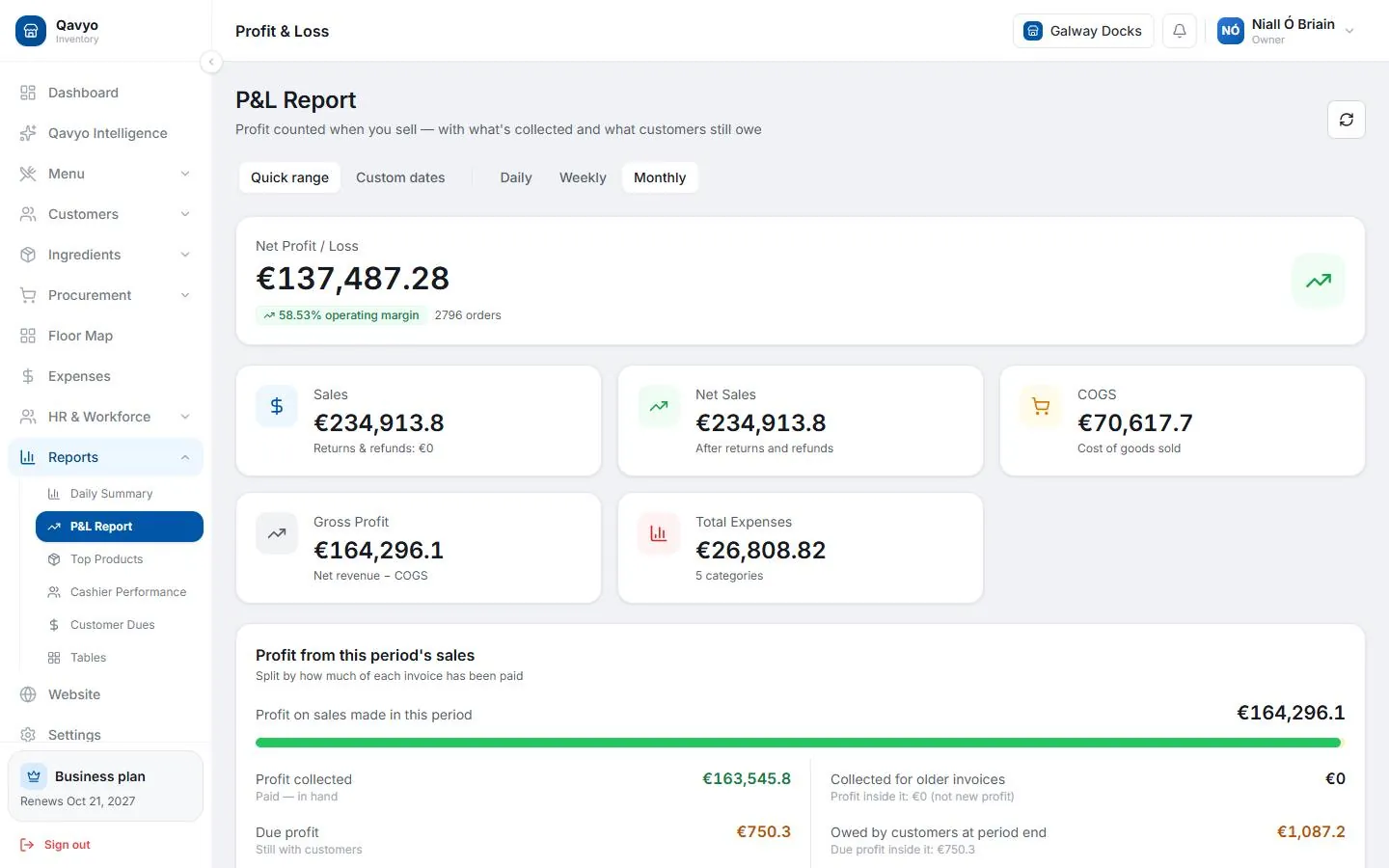
Qavyo profit and loss report.
Day close and profit

Know how the day went, tonight.

Count the till at close and see what is over or short straight away. Sales, food cost and expenses come together in a daily profit and loss, ready for you or your accountant.

Explore day close and cash
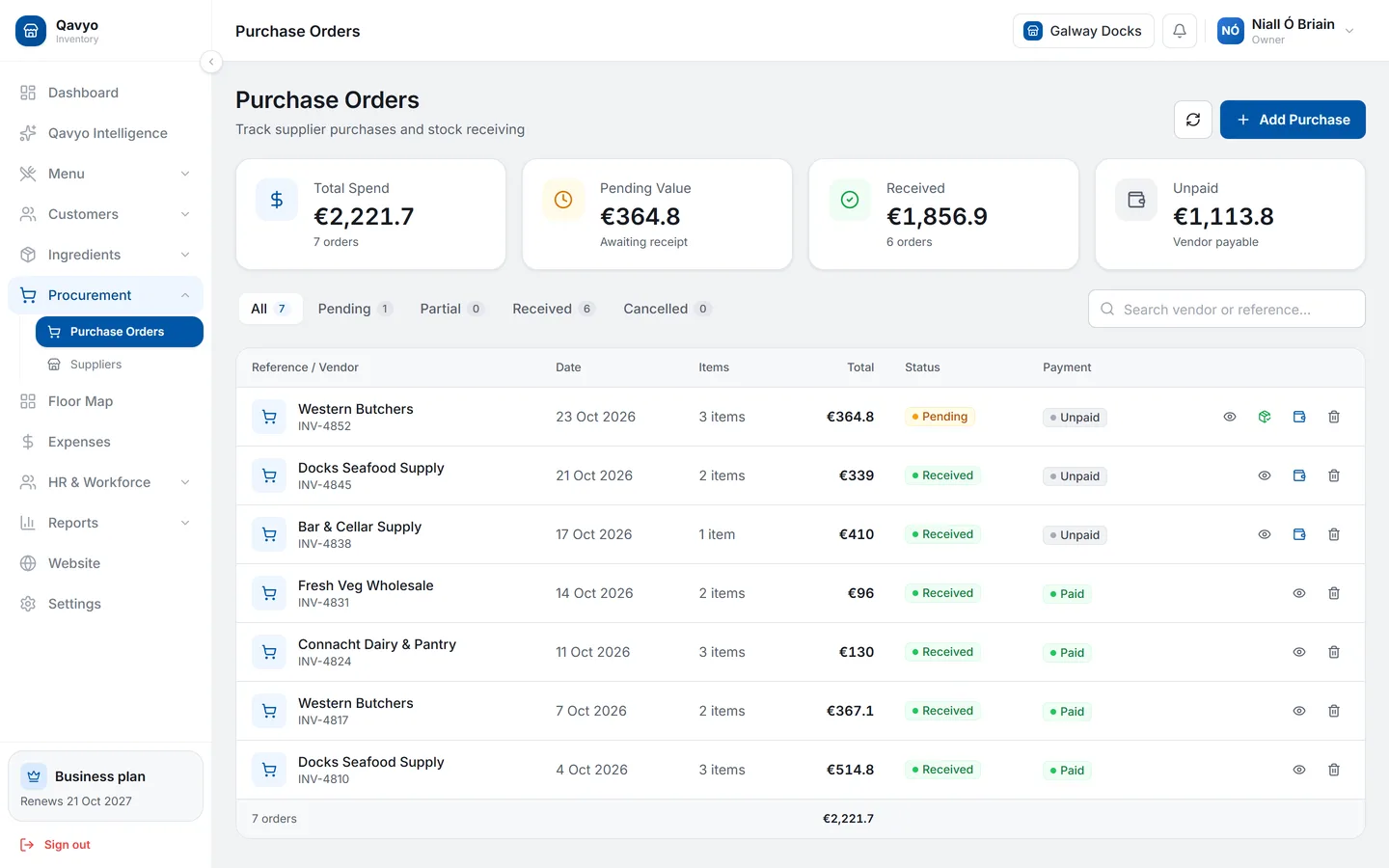
Qavyo purchase orders from five suppliers with received, pending, paid and unpaid status.
Suppliers and purchases

Every delivery lands in stock.

Order from your suppliers and mark each delivery received, and stock goes up on its own. Paid, part paid and unpaid orders sit together, so you always know what you owe each supplier.

See purchasing
Growth and Business

Smarter buying

Purchase suggestions and alerts when a supplier raises a price.

Learn more ›

Team

Rota, clock-in and pay, without a personal phone.

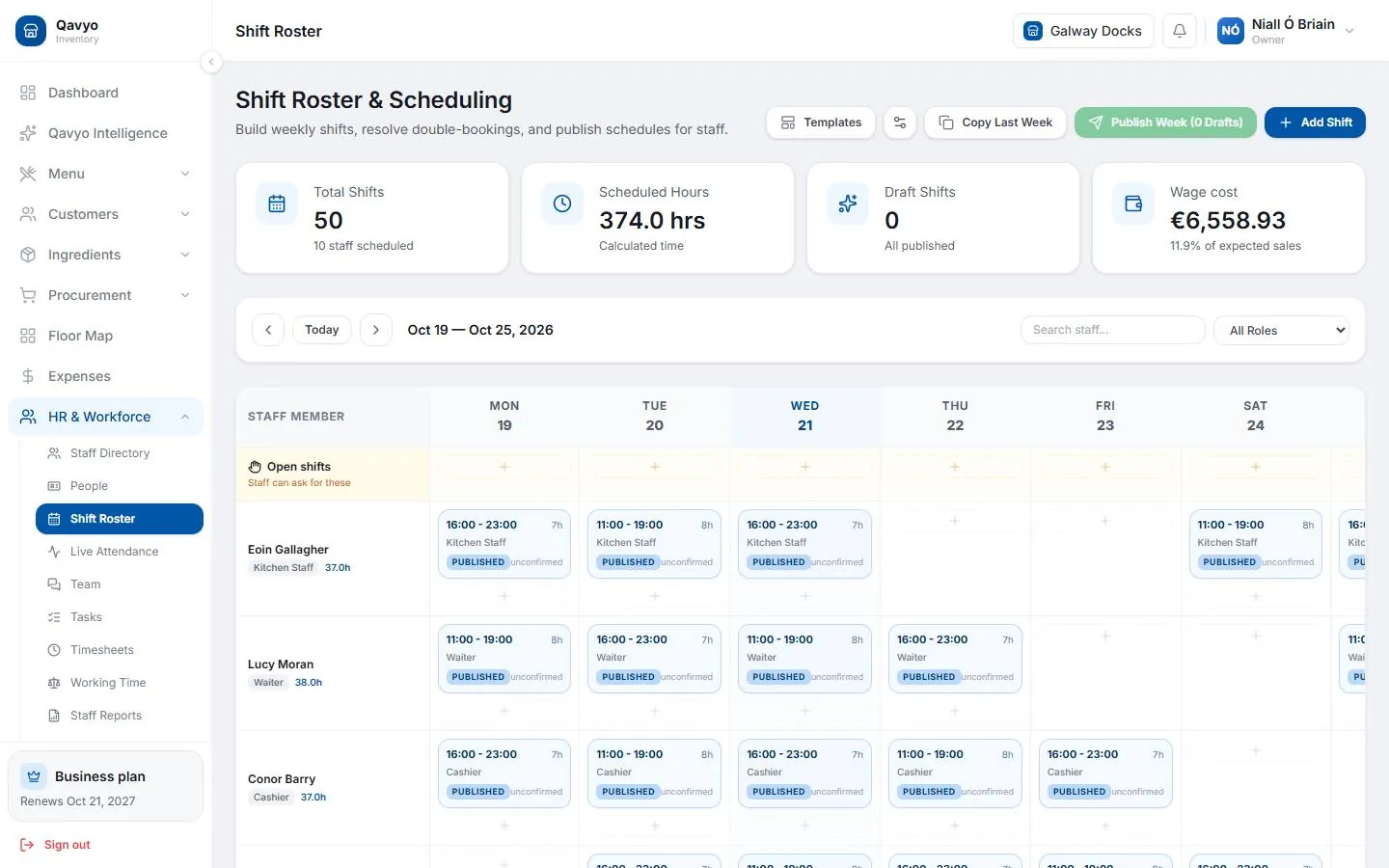
Qavyo shift roster for the week.
Rota

The week planned in one screen.

Plan the week’s shifts for the floor and the kitchen, branch by branch, and publish them to the team.

Growth and BusinessExplore staff and payroll
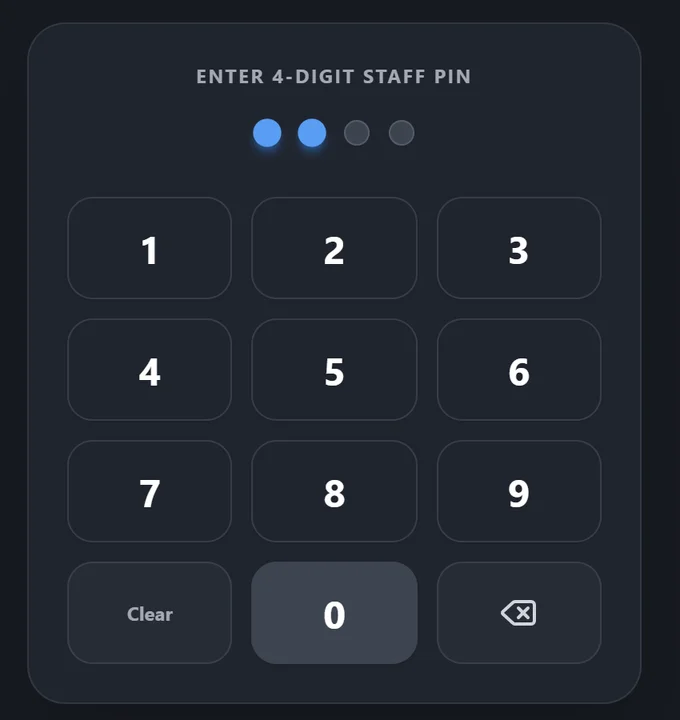
Qavyo time kiosk on the till: a staff member typing their four-digit PIN.
Clock in at the till

No smartphone needed to clock in.

Staff type their PIN on the restaurant’s own till and a photo is taken, so nobody needs their own smartphone and nobody clocks in for a friend.

Growth and BusinessSee clock-in to pay
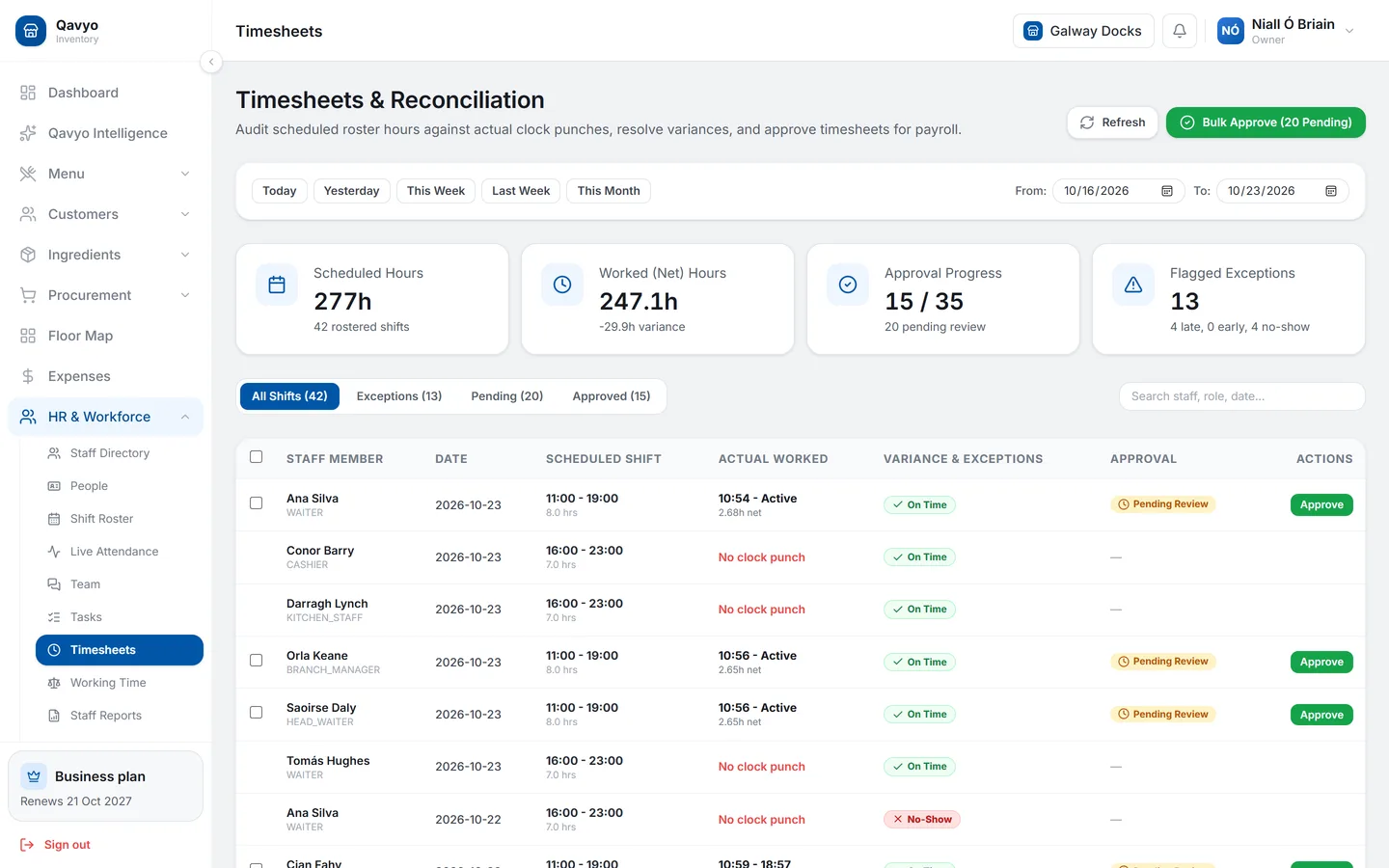
Qavyo timesheets with rota shifts next to clock-ins and approve buttons.
Timesheets

Only approved hours get paid.

Every rota shift sits next to its clock-in, marked on time, late or no-show. Managers approve the hours one by one or all at once, and payroll pays only what was approved.

Growth and BusinessSee timesheets
Growth and Business

Payroll and payslips

Pay worked out from approved hours only, with a payslip for each person.

Learn more ›
Growth and Business

Tips pool

Card tips go into a pool for the team.

Learn more ›
Growth and Business

Leave

Staff ask for time off and managers approve it.

Learn more ›

Roles and permissions

Each person sees only the screens their job needs.

Learn more ›

Qavyo Intelligence

What happened, why, and what to do next.

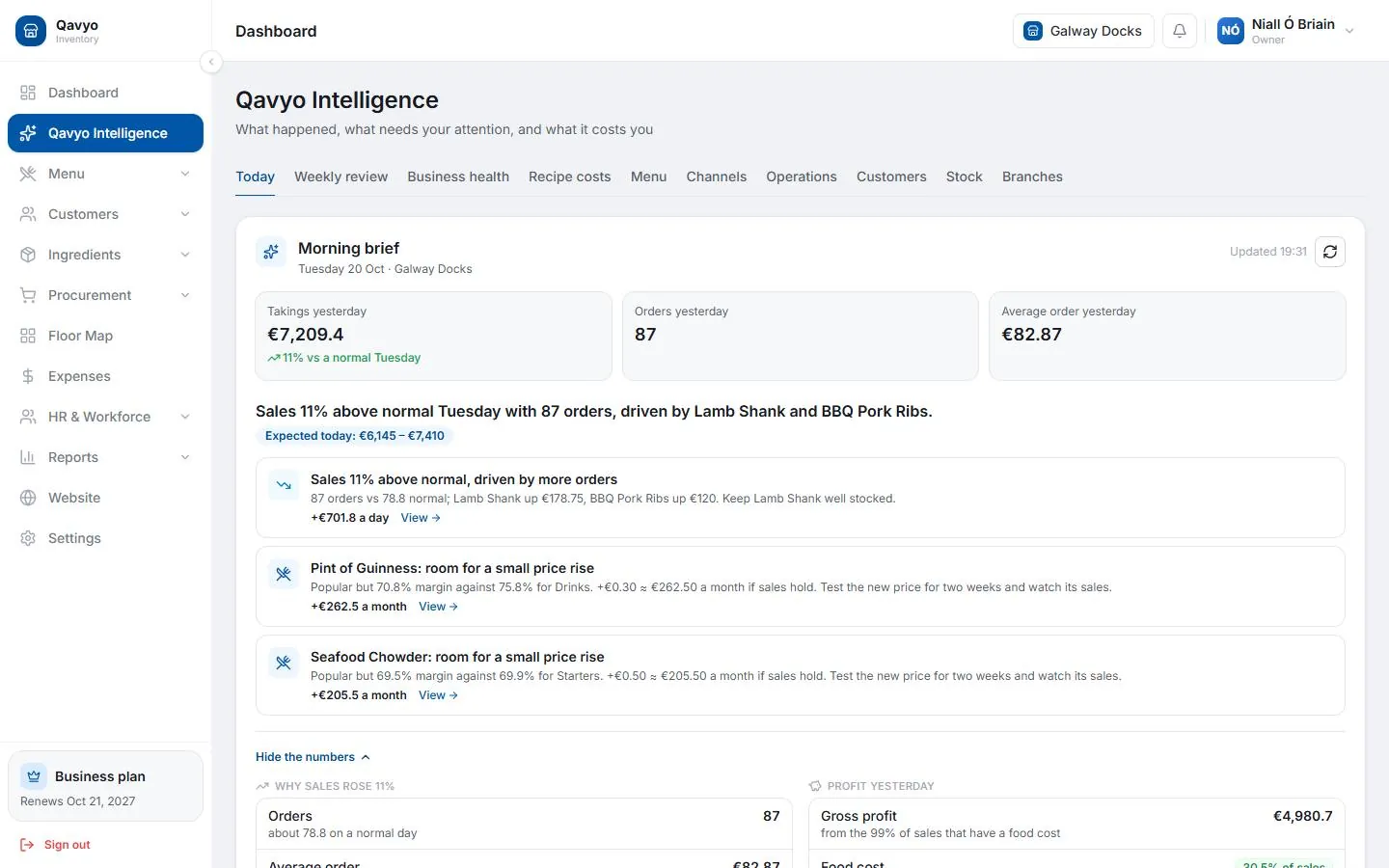
Qavyo morning brief with yesterday’s takings and today’s priorities.
Morning brief

Your day, explained before it starts.

Every morning: yesterday’s takings, what changed, stock at risk and the day’s priorities. On the dashboard, or by email at 7:00 if you switch it on.

Explore Qavyo Intelligence
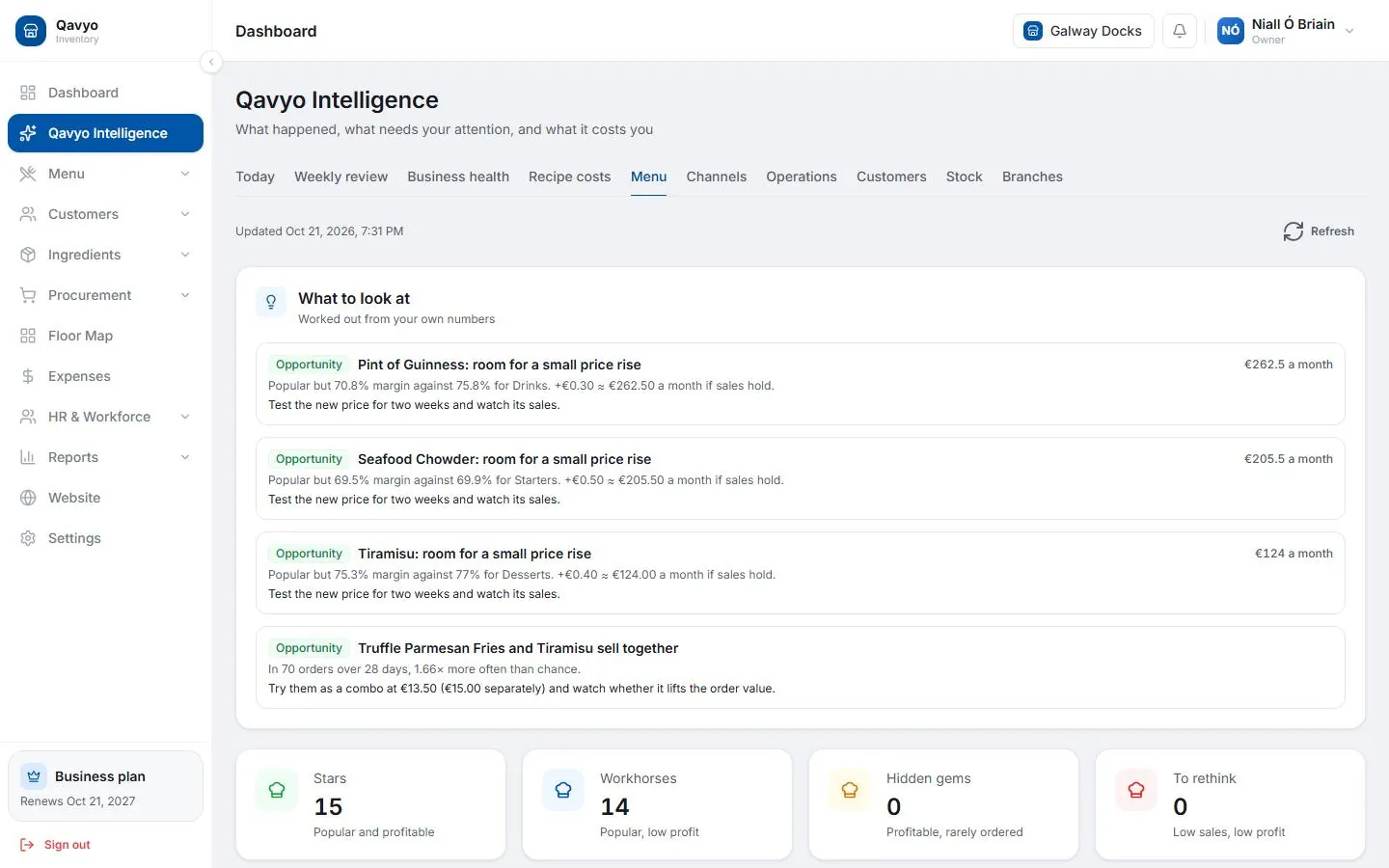
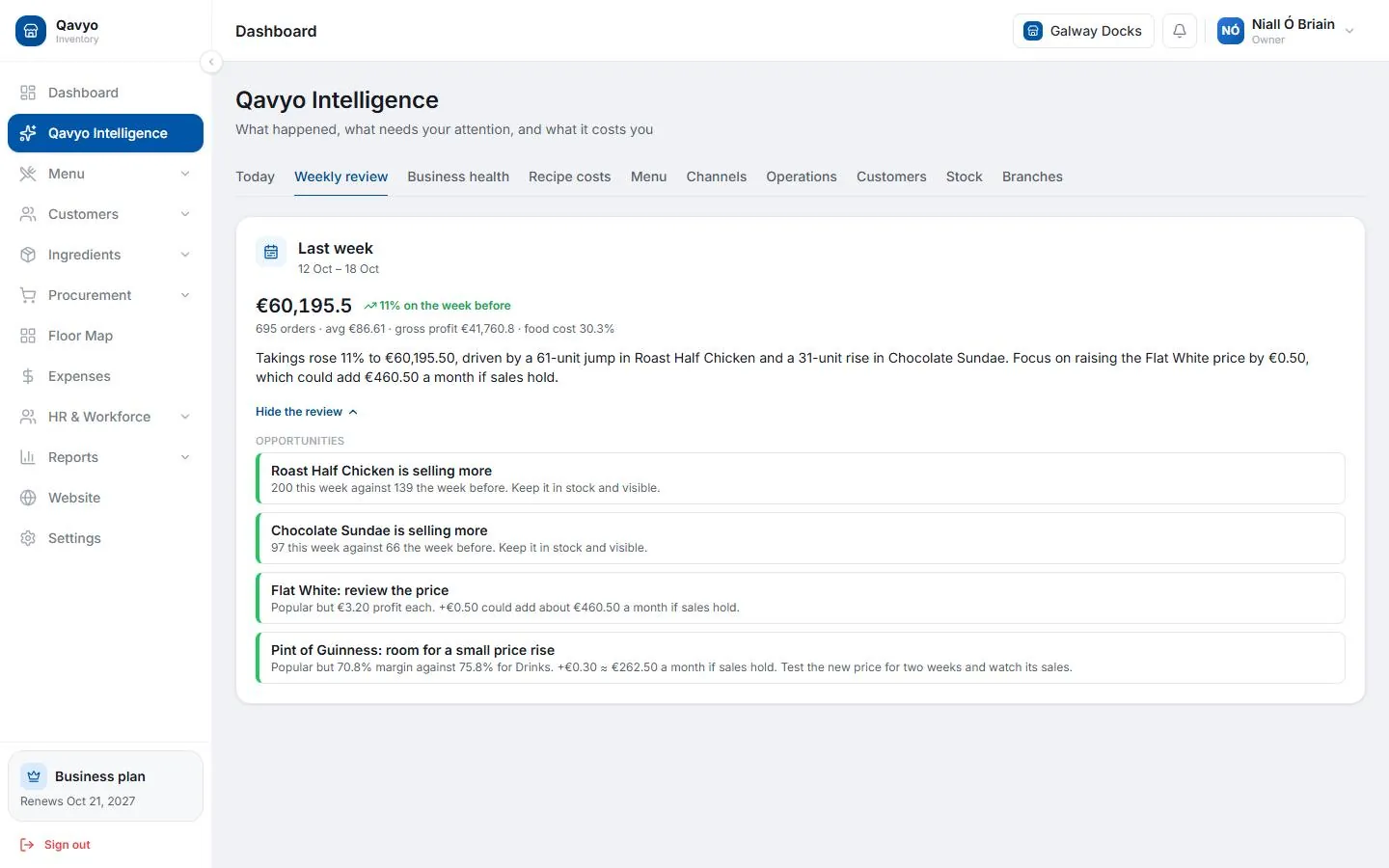
Qavyo weekly review grouped into fix, opportunities, buy this week and money.
Weekly review and health score

Last week, in four lists.

Every Monday, last week against the week before: what to fix, what to buy and where money is leaking. On the first of each month, a business health score out of 100.

Growth and BusinessSee the weekly review
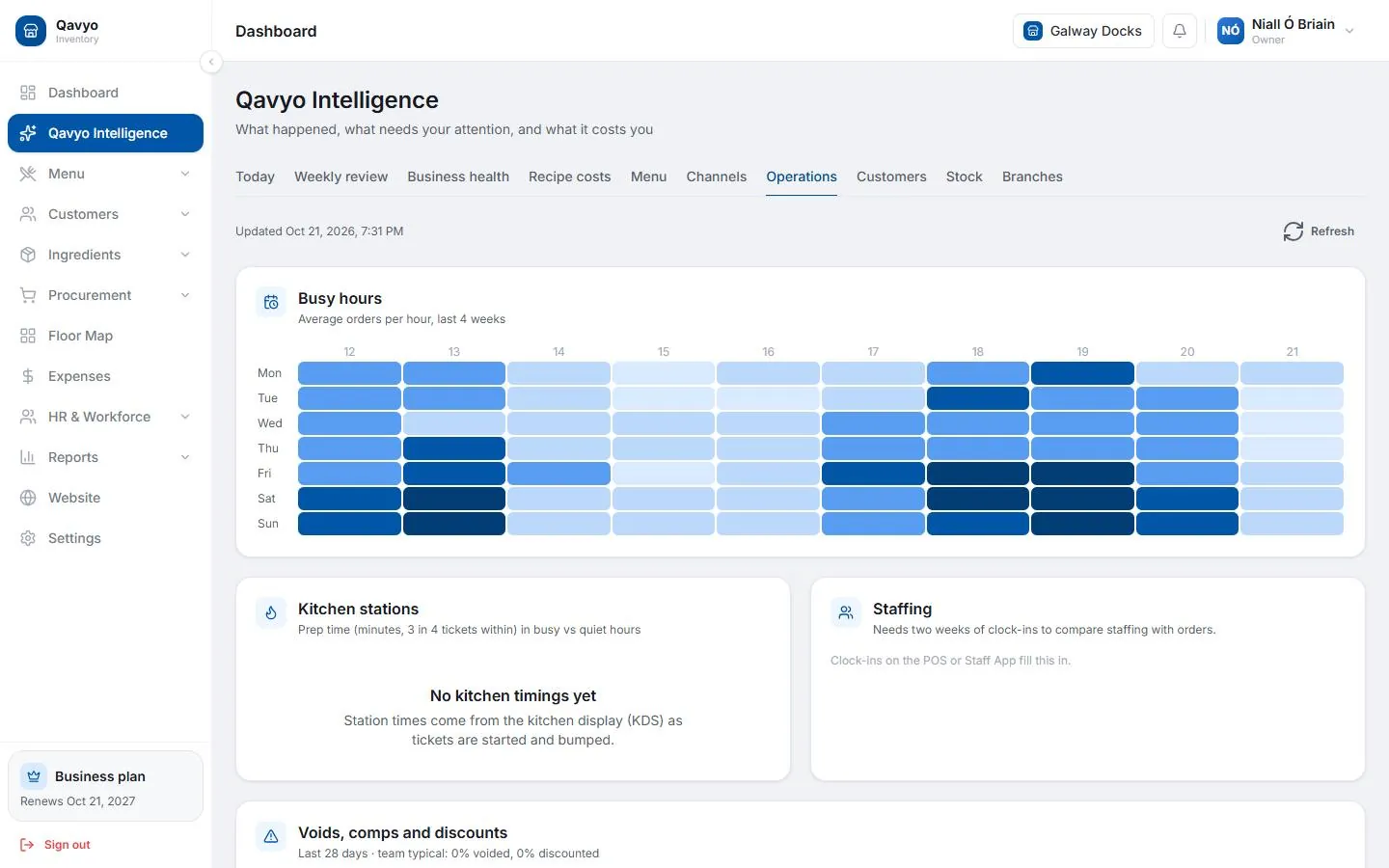
Qavyo busy hours by day and hour.
Busy hours

Staff the rush, not the quiet.

See which days and hours are really busy, so you staff the rush and not the quiet afternoon.

Growth and BusinessExplore Qavyo Intelligence
Business plan

Branch comparison

See which branch needs attention and how each one is doing against the others.

Learn more ›

Customers and branches

Bring guests back and grow past one site.

Customer accounts

Order history and preferences for each guest.

Learn more ›
Growth and Business

Loyalty and promotions

Points and rewards that bring guests back.

Learn more ›
Growth and Business

Up to 3 branches

One back office, central menus and each branch’s own numbers.

Learn more ›
Business plan

Unlimited branches

Group control, branch permissions and group reports.

Learn more ›

Which plan has what.

No add-ons. Everything a restaurant needs to take orders and run the kitchen comes with Qavyo. A few extras need Growth or Business.

FeatureStarterGrowthBusiness
Till (POS), tables, reservations, offline mode✓✓✓
QR table ordering and pay at the table✓✓✓
Kitchen display and station printing✓✓✓
Stock, recipes, suppliers and purchases✓✓✓
Day close and profit and loss✓✓✓
Morning brief✓✓✓
Purchase suggestions and supplier price alerts—✓✓
Menu performance, weekly review, health score—✓✓
Rota, clock-in, payroll and tips—Up to 20 peopleUnlimited
Loyalty and promotions—✓✓
Branches13Unlimited
Branch comparison and group control——✓

Try every feature for 30 days.

The trial is Full Qavyo, Growth and Business features included. Choose a plan when it ends; your data stays.

Every business starts with 30 days of Full Qavyo, including Growth and Business features.